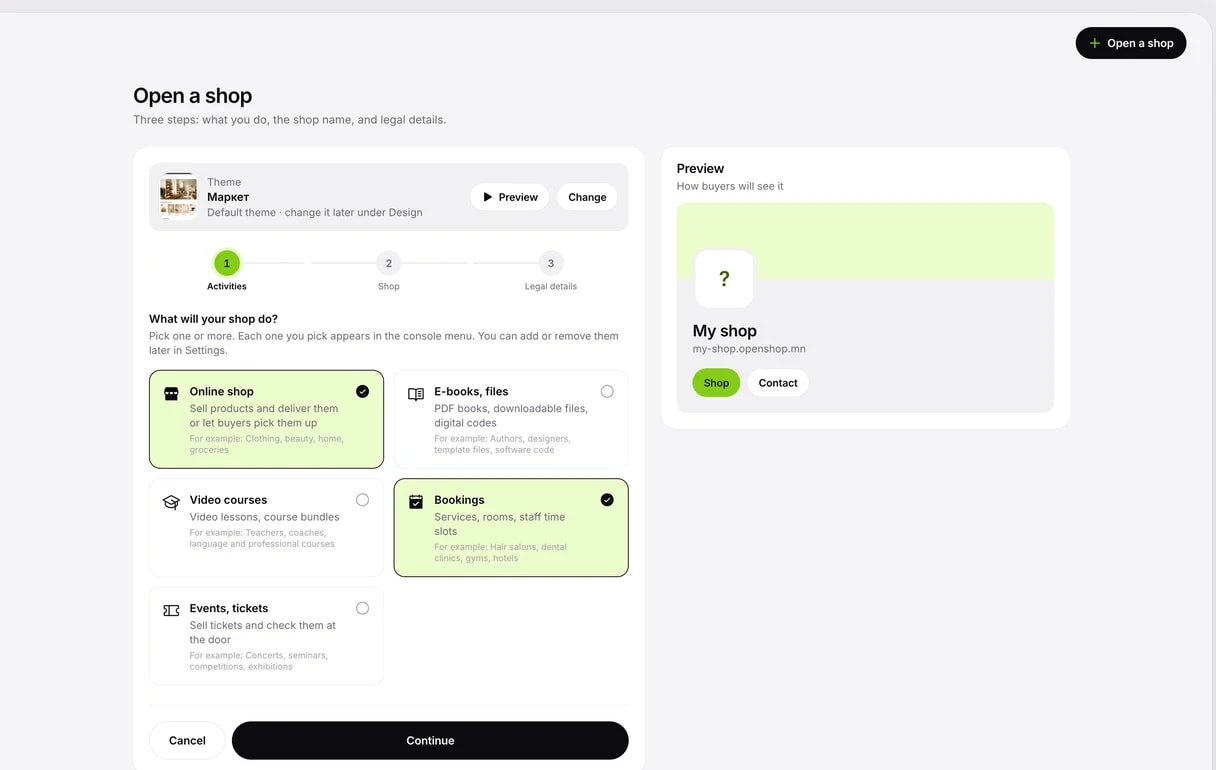
Choose your activities
Choose one or more of: online shop, e-books and files, video courses, bookings and event tickets. You can add or remove them later in settings.
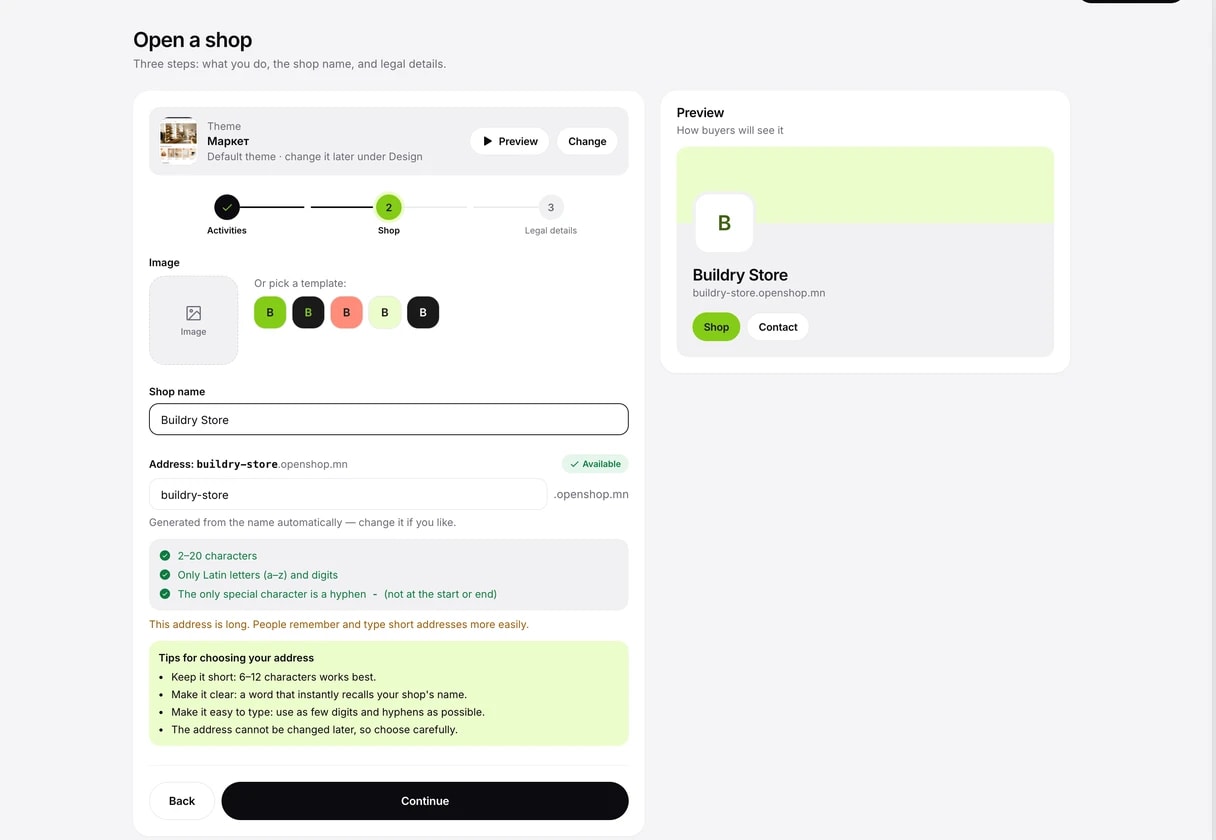
Name and address
Write your shop name in Mongolian and a Latin address is created from it automatically. Your address becomes your-shop.openshop.mn.
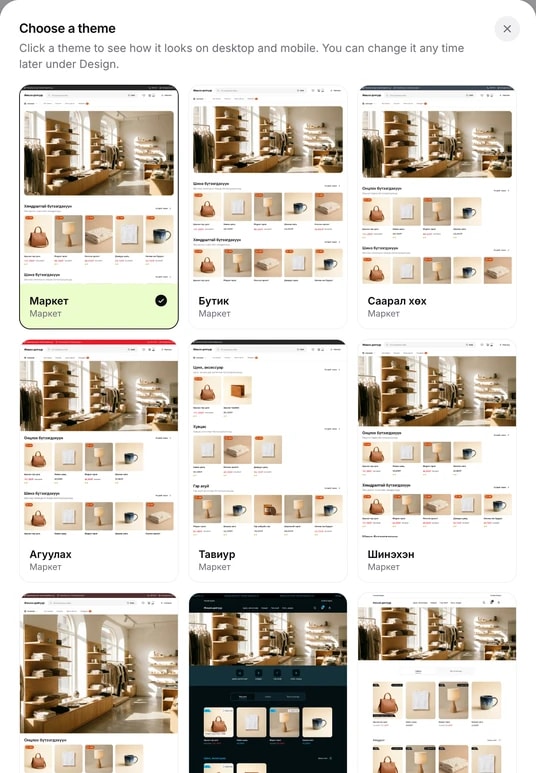
Choose a theme
Use the Change button on the Theme card at the top to choose how your shop looks. Preview shows the theme with sample products on computer and phone. You can change it any time later in the console.
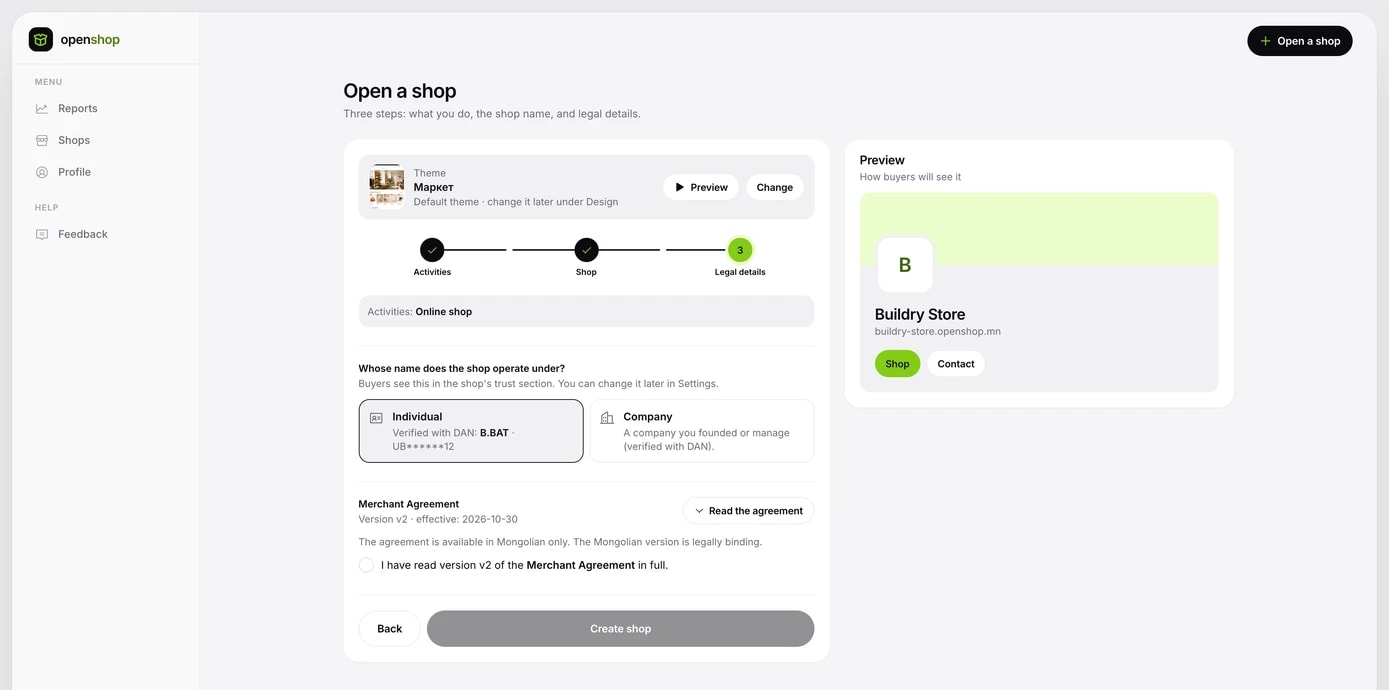
Contract and opening
Choose whether you run the shop as an individual or a company. As an individual, your DAN-verified name is shown. Read and tick the merchant agreement, then click Create shop and your shop is created.